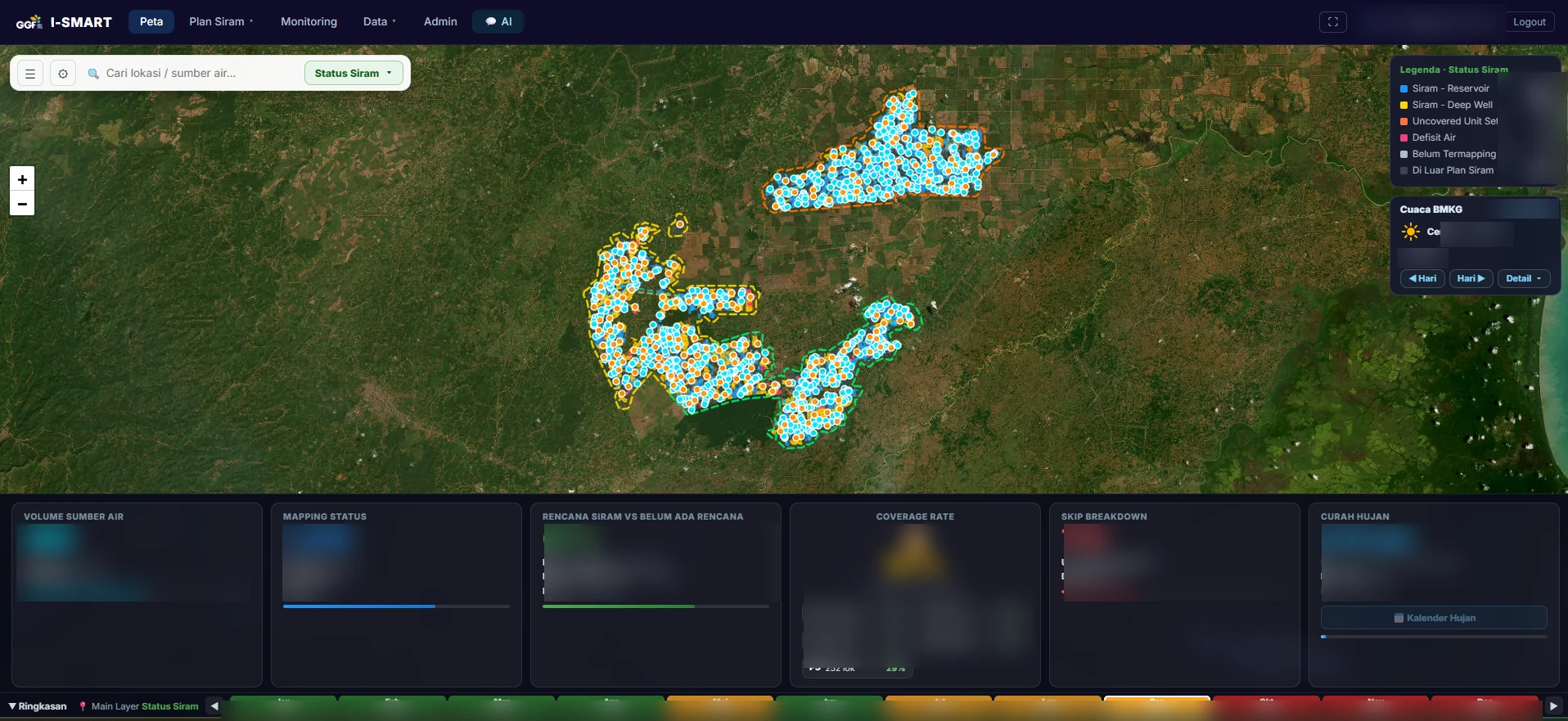
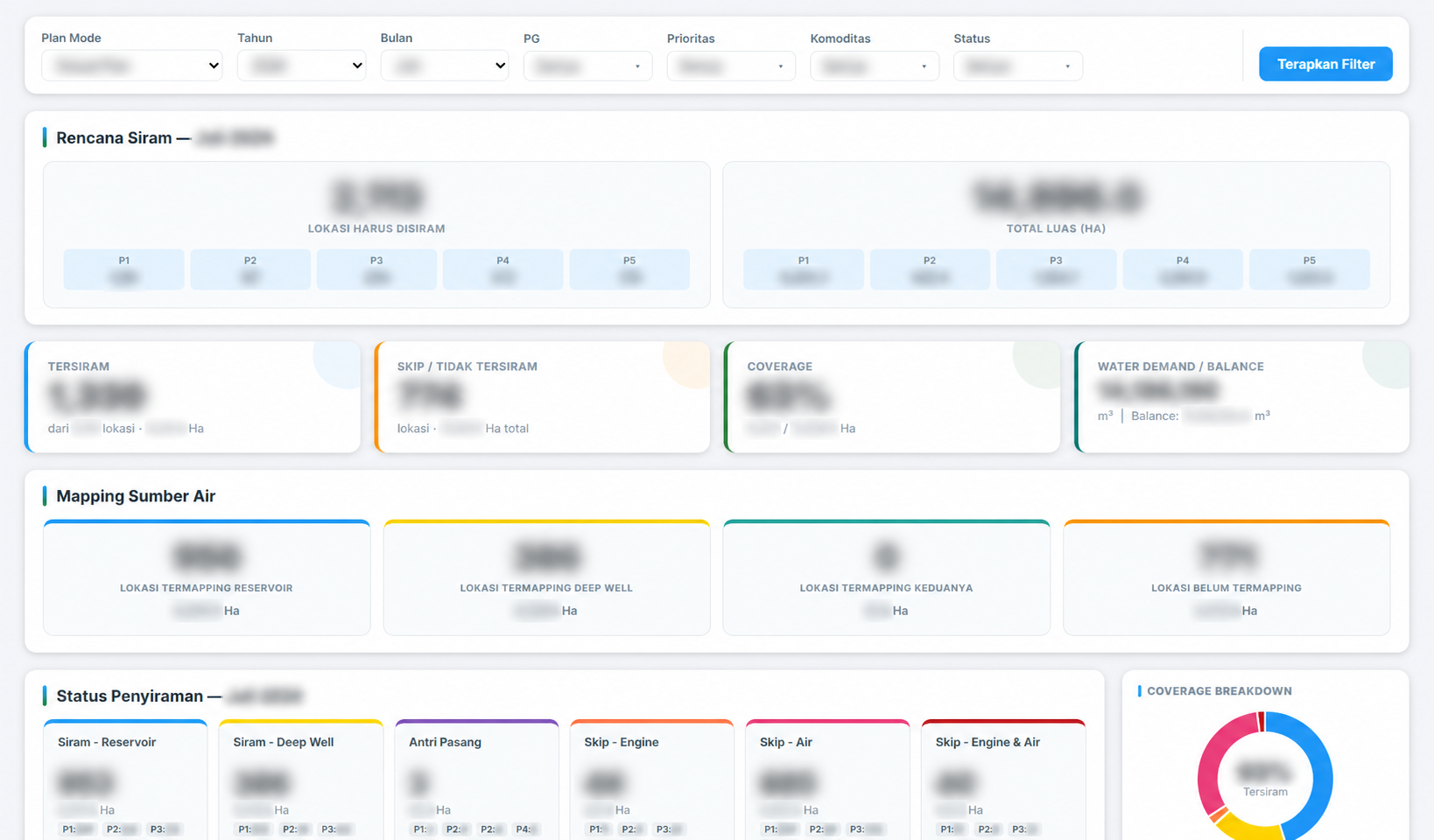
Estate-wide WebGIS overview · Status distribution, water-source mapping, coverage and rainfall context. Figures and account identity blurred for privacy. Click to enlarge ↗
01 / THE CONTEXT
A real operational problem.
The challenge
Irrigation planning must balance field priority, available water, pump capacity and the execution calendar. Teams need to see which locations can be served, understand constraints and compare the published plan with actual field activity.
The solution
I built I-Smart to bring location maps, water sources, scheduling, operational records and analytics into one application. The platform combines a deterministic planning engine with a conversational AI assistant for querying and explaining operational data.
02 / THE PRODUCT
Built around the workflow.
01
Interactive WebGIS
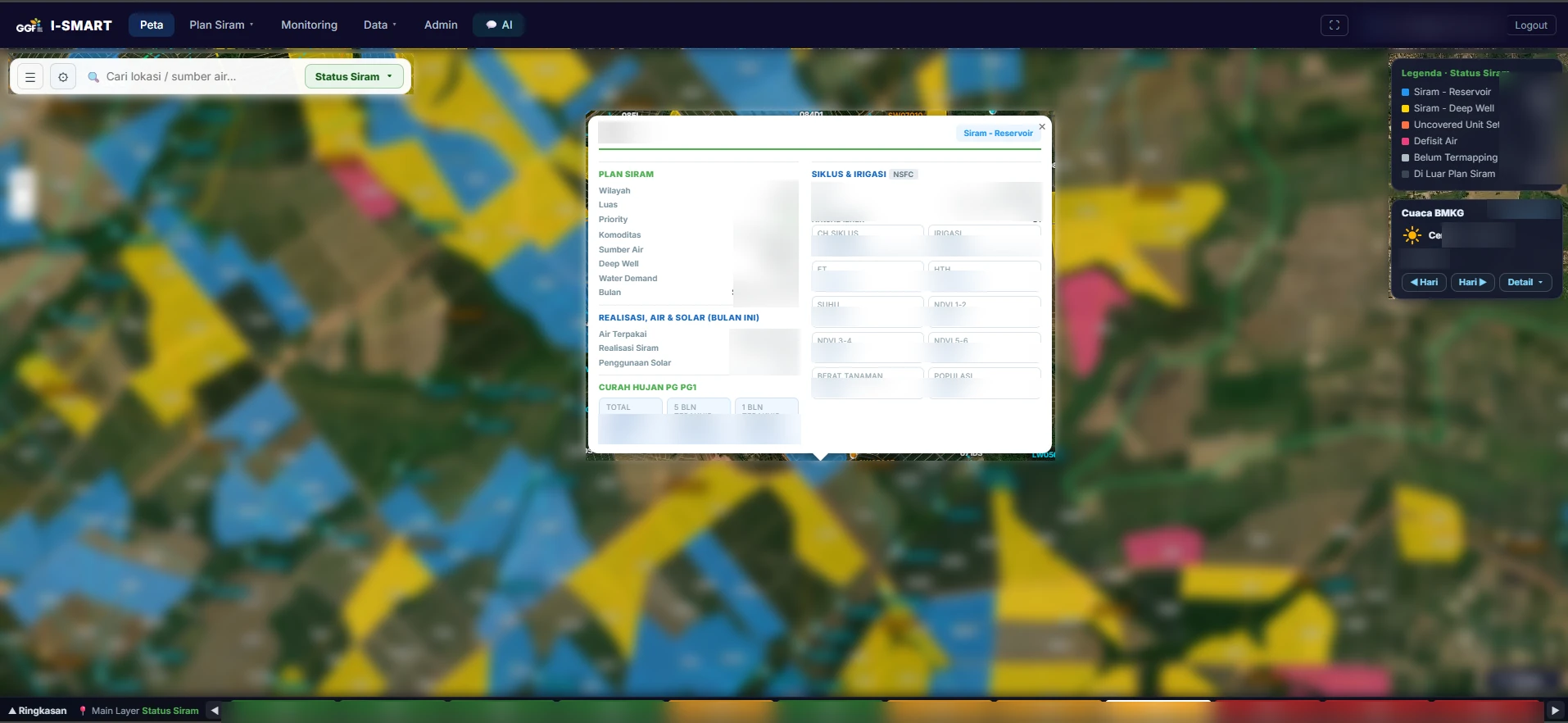
Leaflet maps combine an estate-wide operational overview with field-level inspection. Users can switch status, water-source, priority and commodity layers, follow the monthly timeline, and open a location to review its plan, realization, water, fuel, crop and irrigation indicators.
02
Irrigation planning engine
Plan Siram organizes irrigation around water demand, source availability, equipment constraints and priority. Compare planning modes, inspect service coverage and understand skipped locations.
03
Calendar & versioned plans
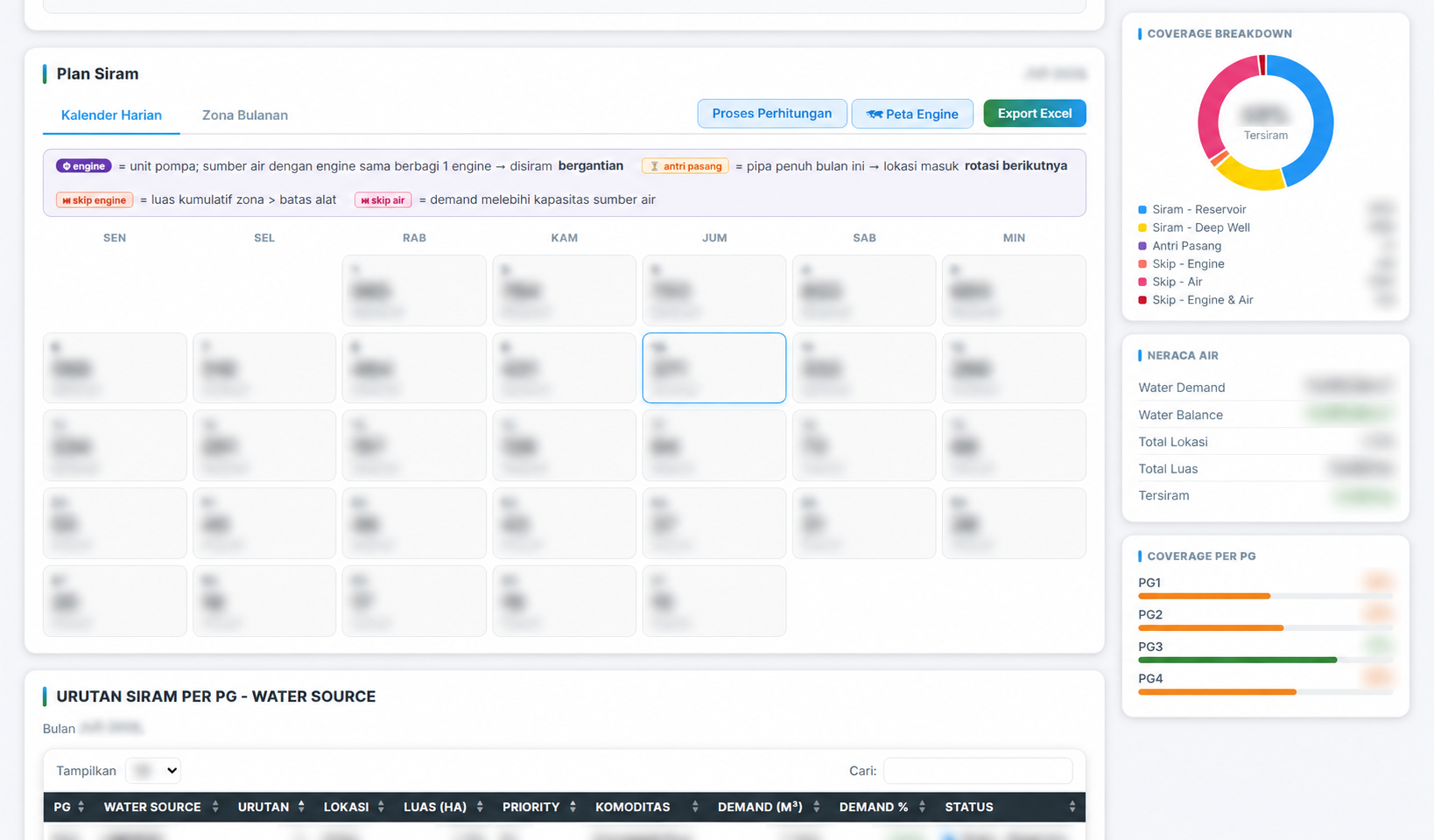
Daily calendars and monthly zones connect planning to execution. Draft and published versions support revisions while preserving a clear planning workflow.
04
Agentic AI chatbot
Ask about plans, harvest locations, actual irrigation, water or fuel use. The read-only LangChain / Bedrock assistant queries application data, produces charts, exports Excel and searches the user guide.
05
Monitoring & AI insights
A dedicated monitoring page compares planned and actual irrigation, area coverage, fuel and water consumption, rainfall, and daily trends. Period-based AI insights summarize weekly, month-to-date and year-to-date performance.
06
Integrated & scoped access
Excel imports, GeoJSON and CropX synchronization connect source data. Entra ID SSO, local accounts and role-based Plantation Group scope organize access for administrators and operators.
03 / CONVERSATIONAL AI
An assistant connected to the system.
Example request
“Show this month’s irrigation realization and compare fuel use by engine.”
The assistant selects data tools, reads recorded operational values and creates a chart or Excel export when requested. Its tools are read-only: changes to plans and actual records go through the application’s controlled interface.
01Understand the data request
02Read operational records
03Generate chart or Excel
04Explain results in context
04 / MONITORING & INSIGHTS
From the plan to what happens in the field.
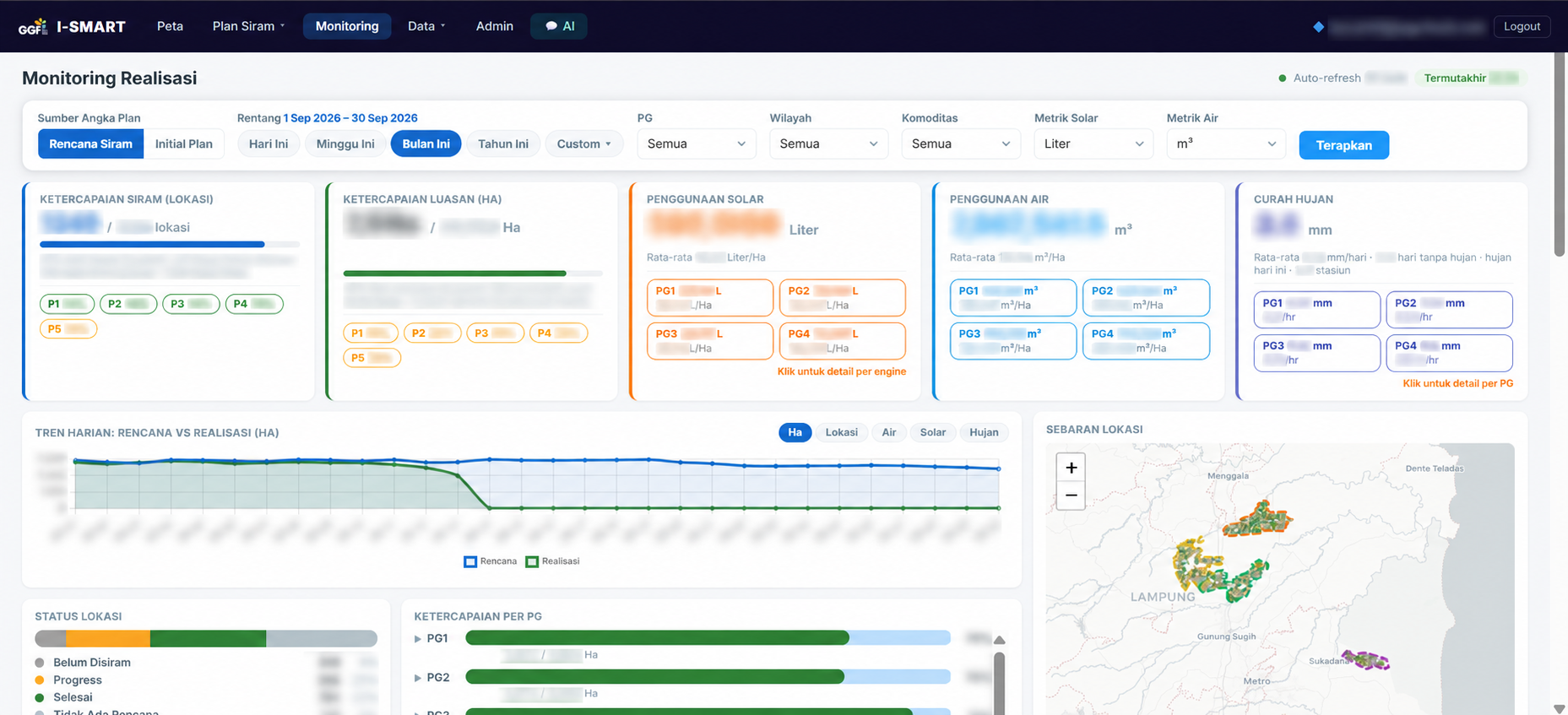
Monitoring Realisasi brings planned and actual irrigation into one view. Filter the reporting period, Plantation Group, region and commodity to inspect coverage, water and fuel consumption, rainfall, daily trends and location distribution.
Monitoring Realisasi · Operational figures and account identity blurred for privacy. Click to enlarge ↗
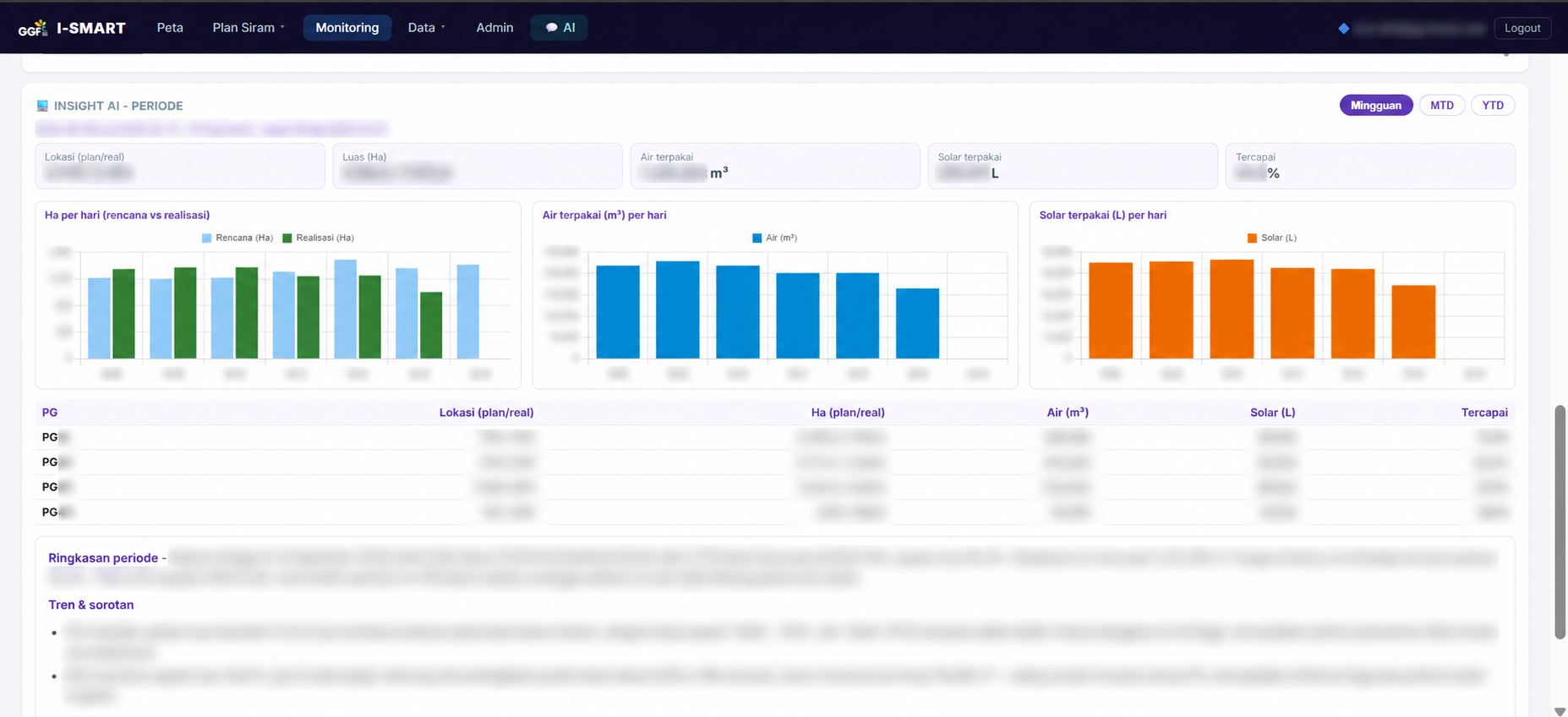
AI insights for the reporting period
Weekly, MTD and YTD views bring together plan-versus-actual summaries, water and fuel trends, and per-PG comparisons. An AI narrative highlights the period’s results and points that need closer attention.
Insight AI · Figures, account identity and sensitive narrative blurred for privacy. Click to enlarge ↗
05 / INSIDE THE APPLICATION
A closer look.
Captured from the application. These screenshots show the interface at the time of capture.
Estate-wide overview: irrigation status, mapped sources, coverage, rainfall and monthly context · Figures blurred for privacy. Click to enlarge ↗Field-level inspection: plan, realization, water and fuel use, crop indicators, irrigation and rainfall history · Identifiers and figures blurred for privacy. Click to enlarge ↗Dashboard: irrigation coverage, source mapping and water balance · All figures blurred for privacy. Click to enlarge ↗Daily irrigation calendar, water balance and operational scheduling · Dates, identifiers and figures blurred for privacy. Click to enlarge ↗
06 / UNDER THE HOOD
How the pieces connect.
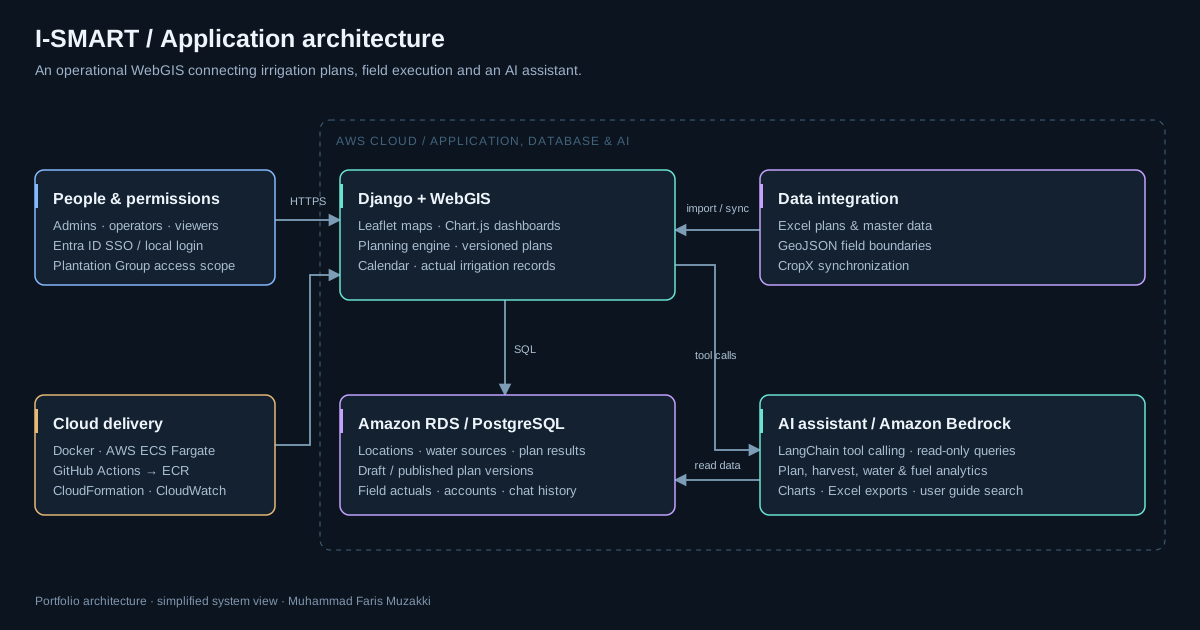
The Django application serves Leaflet maps, dashboards and the planning workflow over PostgreSQL. Imports and synchronization populate the operational data model. The AI assistant accesses that model through read-only tools and returns analysis, charts or exports. The planning calculations are separate from the language model.
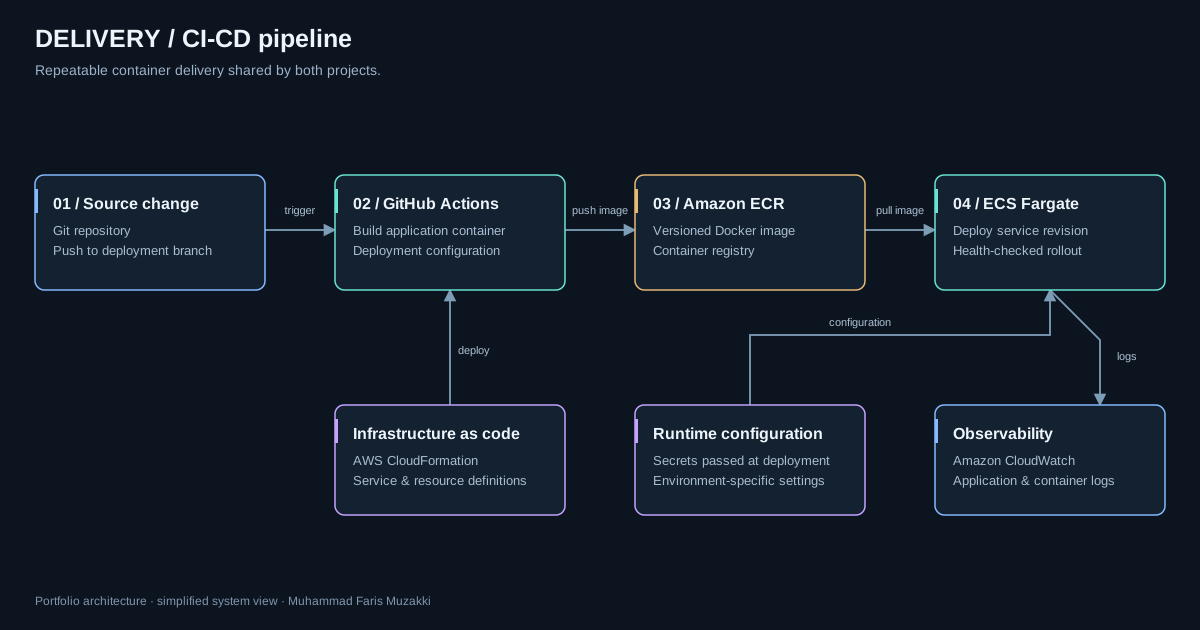
I-Smart Water Management — application, data and AI architecture · Click to enlarge ↗Container delivery — GitHub Actions, Amazon ECR and ECS Fargate · Click to enlarge ↗
Simplified architecture views for this case study; infrastructure identifiers and environment-specific configuration are omitted.
07 / MY CONTRIBUTION
Solo developer. Full ownership.
I built I-Smart Water Management as a solo developer: solution architecture, frontend and backend implementation, data integration, AI capabilities, deployment and ongoing application improvements.
The work spans the full application lifecycle, connecting business requirements to a usable interface and the services that run it. Operational data and domain input come from the business context.
Product & system designFull-stack implementationData & AI integrationCloud & CI/CD delivery
08 / WHAT THIS ENABLES
Engineering with an operational purpose.
A shared map and dashboard connect field locations, irrigation priorities and water sources.
Versioned plans and actual records support traceable planning and execution reviews.
The AI assistant offers an additional way to explore operations and prepare charts or exports.